
Choosing the wrong M.2 NVMe SSD size for your handheld is one of the most common (and most avoidable) upgrade mistakes. Whether you are planning a Steam Deck SSD upgrade, a ROG Ally SSD upgrade, an Ally X SSD upgrade or a Legion Go SSD upgrade, the first thing to check is the SSD size chart in this guide. The Steam Deck, ROG Ally, Ally X, Legion Go and MSI Claw 8 EX AI+ look similar from the outside, but they do not all use the same SSD length. Buy a drive that is one size off and it simply will not fit, no matter how fast or how expensive it is.
Table of Contents
Toggle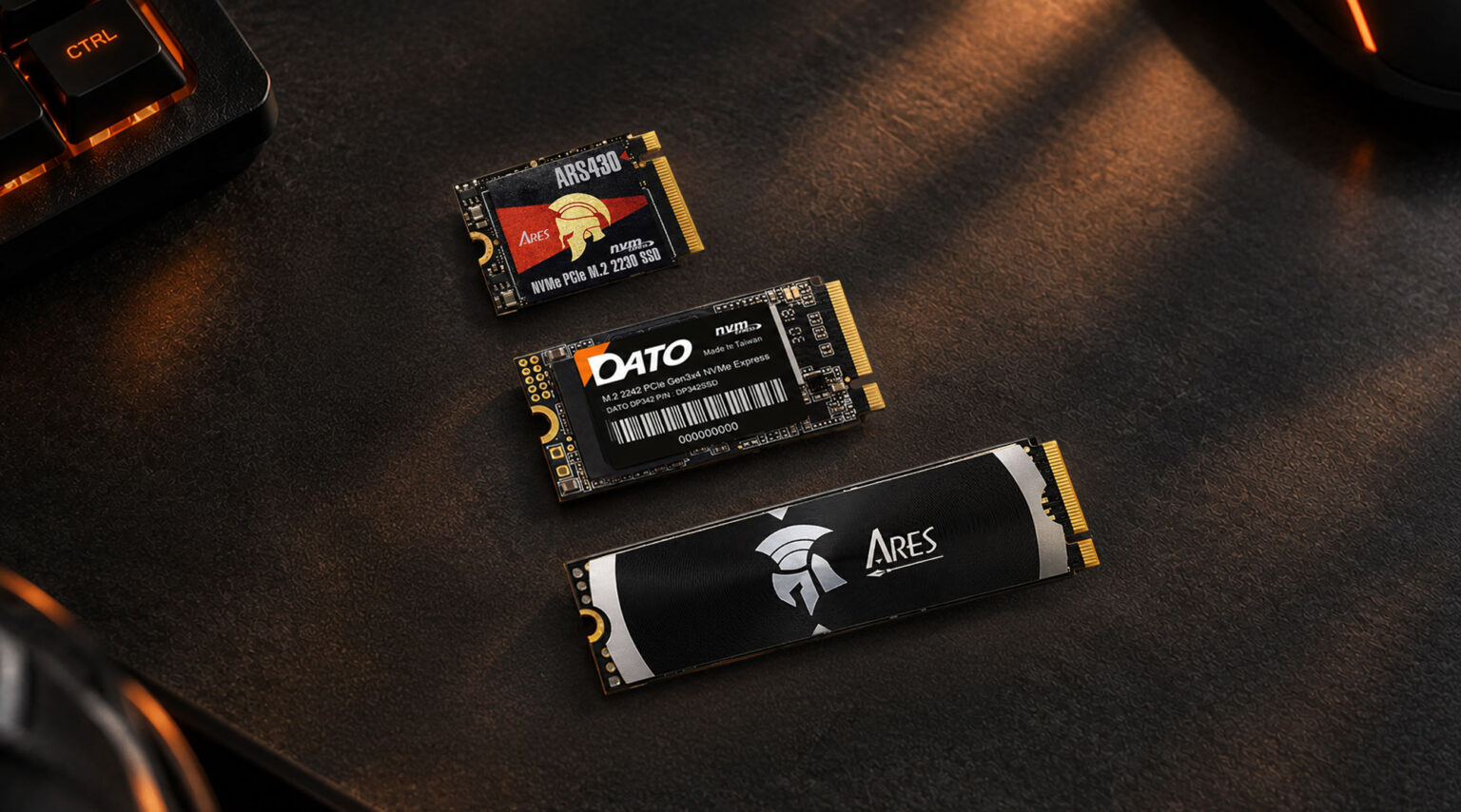
In this guide, we start with why handhelds use different SSD sizes (2230 vs 2242 vs 2280), then give you the size chart, then explain why your handheld needs a good SSD in the first place, whether a heatsink is worth it, how much capacity to buy, and finally a buying checklist of the mistakes we see most often. Along the way we will also show where four Datotek drives fit: two from our ARES gaming series, the ARES ARS430 and the ARES Dark Sword Lite, and one from our DATO everyday series, the DATO DP342.
The short answer –
Handhelds are packed tightly, and the SSD competes for space with the battery, fan, speakers and cooling system. Every millimeter matters. Valve picked the compact 2230 for the Steam Deck, and the original ROG Ally followed, which is why M.2 2230 vs 2280 is the first question every upgrader asks. ASUS then redesigned the internal layout for the Ally X and moved to the longer, more common 2280, which opens up more brands, more capacity options and often a lower price per gigabyte. Lenovo took a middle path with 2242 on the Legion Go.
What the numbers mean –
The four digits after “M.2” are the drive’s width and length in millimeters. The first two digits are the width (always 22 mm for these sizes) and the last two or three digits are the length. So 2230 means 22 mm wide and 30 mm long, 2242 is 42 mm long, and 2280 is 80 mm long. All three use the same M.2 connector and NVMe protocol, so the only difference is how far the board extends and where the mounting screw sits.
Size | Dimensions | Where you will find it |
M.2 2230 | 22 mm × 30 mm | Steam Deck, original ROG Ally, Surface devices, ultra-compact mini PCs. |
M.2 2242 | 22 mm × 42 mm | Legion Go series, some thin laptops and tablets. |
M.2 2280 | 22 mm × 80 mm | ROG Ally X, ROG Xbox Ally series, MSI Claw 8 EX AI+, most desktops and full-size laptops. |
Why you cannot “just force it” –
A longer drive will not reach the mounting screw and will physically collide with other parts, and a shorter drive will not be held down properly, which can lead to a loose connection or damage to the slot. The mounting standoff in a handheld is fixed at one length. Some devices ship with a small bracket or adapter, but that does not mean any size will work. Always match the size the manufacturer specifies.
The trade-off –
There is also a practical point: smaller boards have less room for NAND chips and controllers, so manufacturers often use single-sided designs for 2230 and 2242 drives. That is great for fitting into tight spaces, but it is one reason maximum capacity in these sizes lags behind 2280.
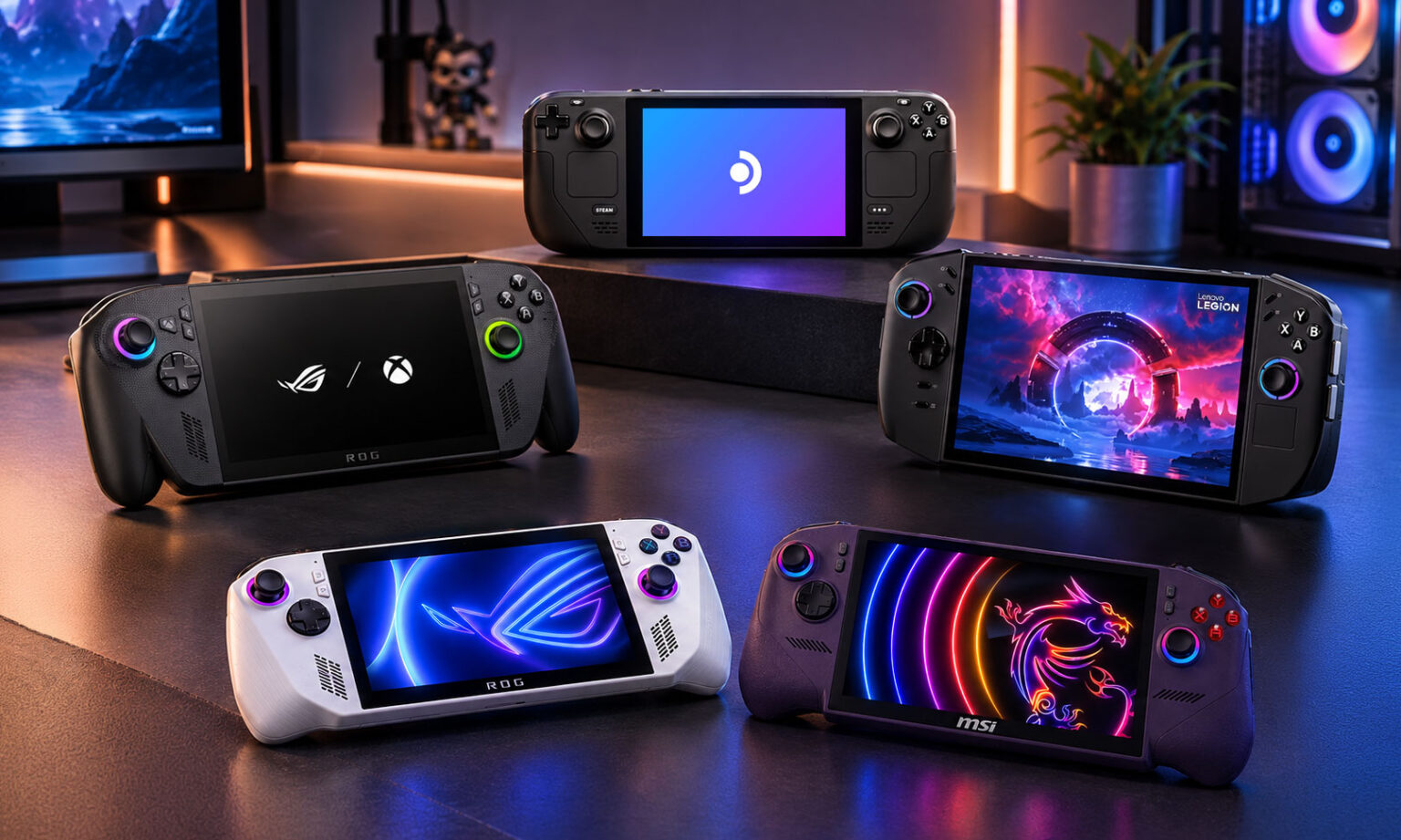
Here is the quick reference you came for. Find your handheld in the left column and read across to see which M.2 NVMe SSD size to buy and what to watch out for.
Handheld | SSD Size | Typical Upgrade Capacity | What to Know |
Steam Deck | M.2 2230 | 1TB-2TB | Interface is PCIe Gen3, so a Gen4 drive will not run faster. Check heatsink height under the metal shield. |
ROG Ally | M.2 2230 | 1TB-2TB | Same compact size as Steam Deck, so choices are limited compared with 2280. |
ROG Ally X | M.2 2280 | 1TB-4TB | ASUS moved to the standard laptop-size drive, which widens choice and capacity. |
ROG Xbox Ally / Xbox Ally X | M.2 2280 | 1TB-4TB | Per ASUS’s upgrade guide, uses 2280 as well. |
Legion Go (1st gen) | M.2 2242 | 1TB-2TB | Single-sided drives are the safe choice. |
Legion Go 2 | M.2 2242 | 1TB-2TB | Some early units reportedly ship with a 2230 drive and a bracket, so a full-length drive may not fit. |
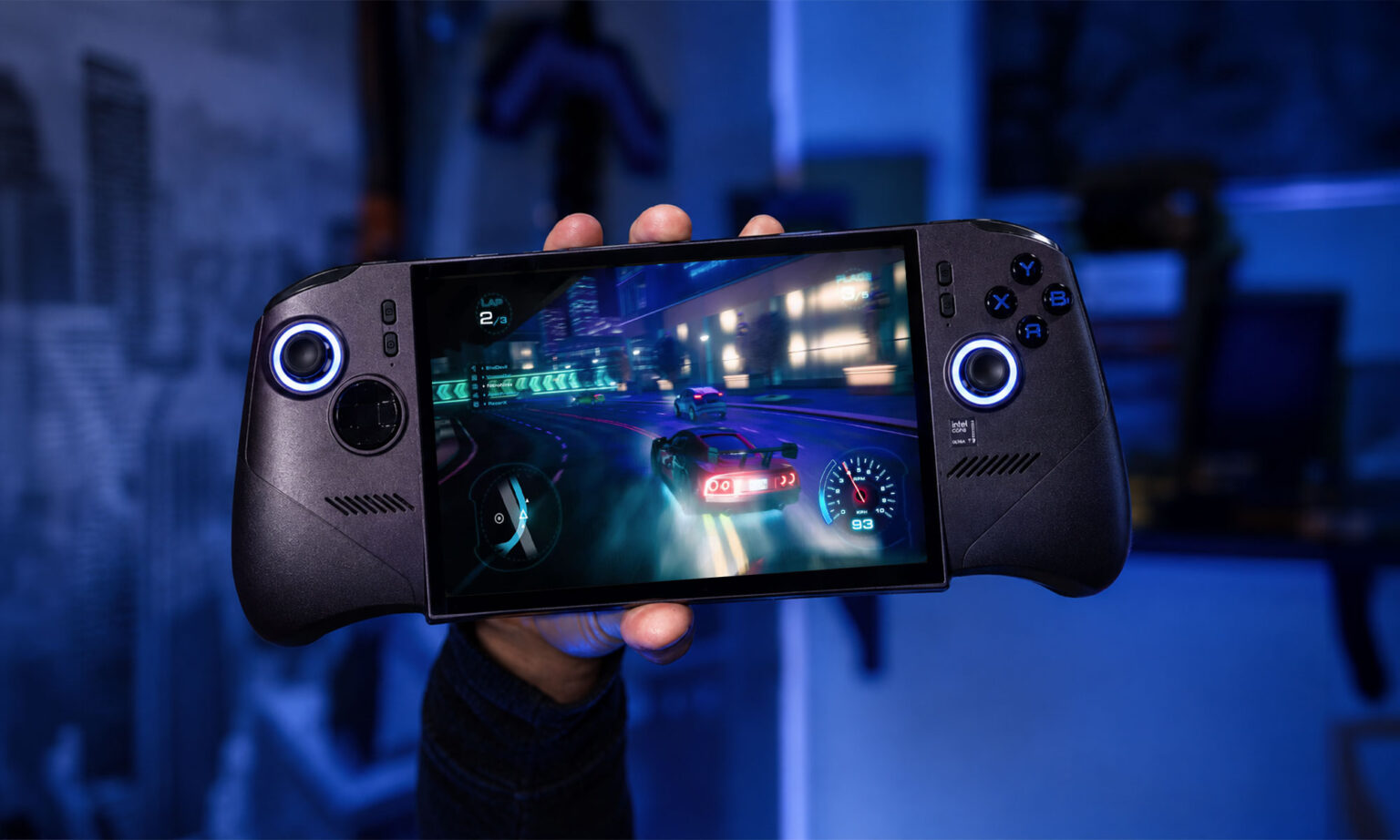
MSI Claw 8 EX AI+ | M.2 2280 | 1TB-4TB | Full-size M.2 2280 slot (PCIe Gen4 x4). |
* Always confirm your exact model and revision on the manufacturer’s spec page before buying.
How to read this chart –
Step 1: Find your exact handheld. Note that the ROG Ally and ROG Ally X are different machines with different SSD sizes.
Step 2: Match the size column to the drive you are shopping for.
Step 3: Use the capacity column as a realistic range, not a hard limit, because new drives appear regularly.
*Quick takeaway
If your handheld is a Steam Deck or original ROG Ally, you need a 2230 drive. If it is an Ally X, an Xbox Ally or the MSI Claw 8 EX AI+, you can use a standard 2280 drive. Legion Go models use 2242.
It is fair to ask: if the handheld already came with an SSD, why upgrade? In practice, the SSD in a handheld is the part you will feel every single day, because it affects almost everything you do on the device.
Reason 1: Game libraries are getting enormous
Some modern AAA games take well over 100GB each. A handful of them can fill a base-capacity drive before you have installed anything else. On a handheld you cannot simply plug in an external drive and call it a day, because the whole point is to play anywhere without cables. More internal storage means fewer uninstall and reinstall cycles, and fewer evenings spent waiting for a download.
Reason 2: Load times and responsiveness
An NVMe SSD is far faster than older storage types, which shows up in boot time, game launch time, level loading and even how quickly the system wakes from sleep. On Windows handhelds such as the ROG Ally, Ally X, Legion Go and MSI Claw 8 EX AI+, the SSD also holds the operating system, game launchers, shader caches and updates, so a well-chosen drive keeps the whole experience snappy.
Reason 3: One device, many jobs
Windows handhelds are really small gaming PCs. People use them for games, emulators, streaming apps, remote play and sometimes light work. All of that needs room. Upgrading the SSD is usually cheaper and easier than buying a new handheld with a bigger drive, and it takes about as long as a cup of coffee.
Which DATO drive fits which handheld?
Because handhelds use different sizes, we make Datotek drives in the sizes these devices actually use. Here is how our four drives line up, based on the specifications listed on retailer pages. As always, confirm clearance and compatibility for your exact model before buying.
Product | Size | Interface & Speed | Heatsink | Best for |
DATO ARES ARS430 | M.2 2230 | PCIe Gen4x4 NVMe 1.4, up to 5000/3200 MB/s. 1TB / 2TB | Aluminum | Steam Deck, ROG Ally (2230 handhelds) |
DATO ARES Dark Sword Lite | M.2 2280 | PCIe 4.0 NVMe, up to 7200/6850 MB/s. 1TB / 2TB / 4TB | Aluminum | ROG Ally X, ROG Xbox Ally series, MSI Claw 8 EX AI+ (2280 handhelds) |
DATO DP342 | M.2 2242 | PCIe Gen3x4 NVMe 1.3, up to 2500/1700 MB/s. 512GB / 1TB | Bare drive | Legion Go series (2242 handhelds) |
ARES ARS430 and ARS330 (M.2 2230)
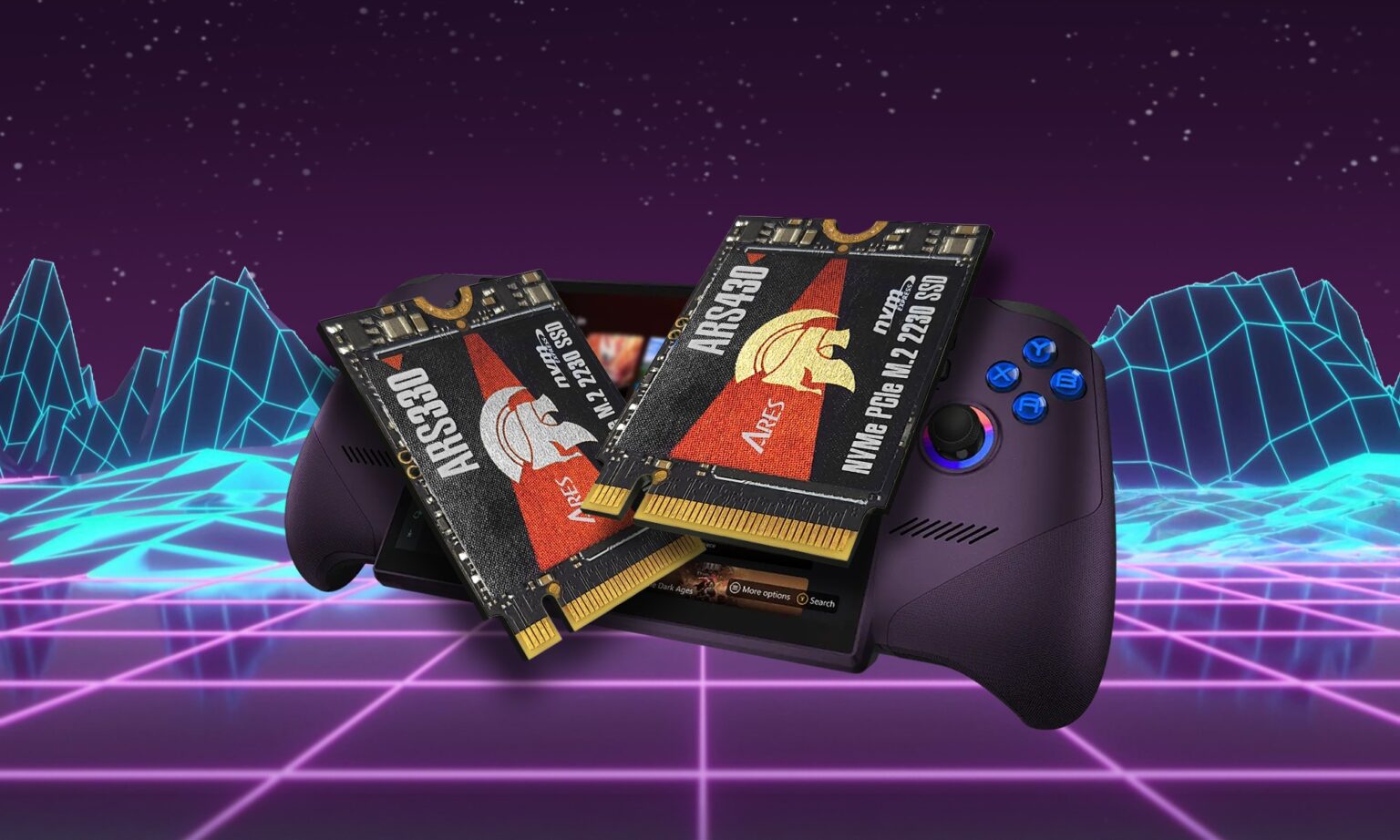
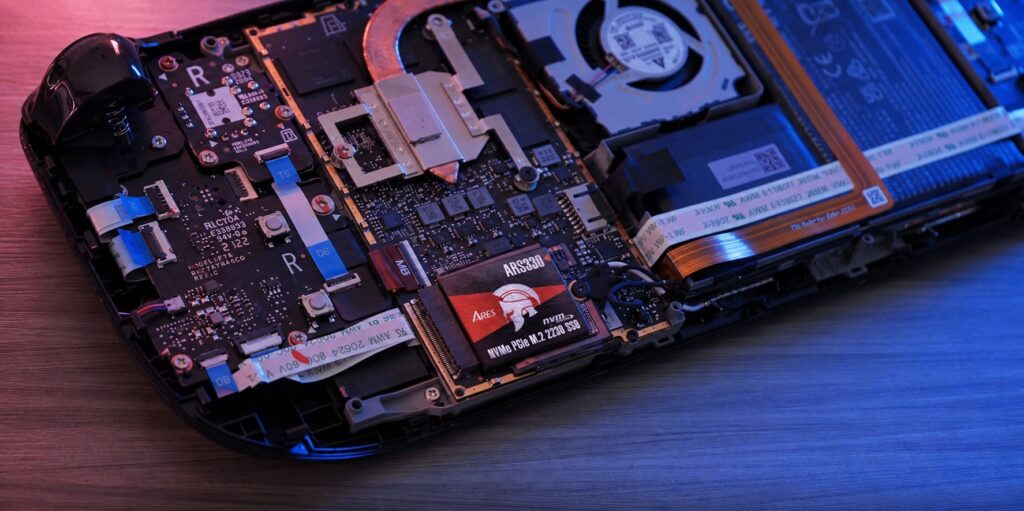
These are our picks for handhelds that only accept the short size, such as the Steam Deck, the original ROG Ally and other 2230 devices. Both belong to the ARES series, both come with an aluminum heatsink, and both are listed as M.2 2230 only (not 2242 or 2280). The difference is the interface. The ARS430 uses PCIe Gen4x4 NVMe 1.4 with speeds listed up to 5000/3200 MB/s and comes in 1TB and 2TB, and it is listed as compatible with Steam Deck and ROG Ally. The ARS330 uses PCIe Gen3x4 NVMe 1.4 with speeds listed up to 2500/1700 MB/s, comes in 512GB and 1TB, and is described as a single-sided drive. This is where the Steam Deck detail matters: its slot runs at PCIe Gen3 speeds, so a Gen4 drive will not show its full numbers there, and the ARS330 already matches what that slot can deliver. Choose the ARS430 if you want the 2TB capacity or plan to use a Gen4-capable slot, and choose the ARS330 if 512GB or 1TB is enough. Either way, the benefit in these handhelds is the capacity and the built-in heatsink, not raw benchmark speed. Both listings also mention a limited 5-year warranty.
* As with any heatsink drive, the added thickness can cause fit concerns in very tight enclosures, so confirm the clearance in your device first.
ARES Dark Sword Lite (M.2 2280)
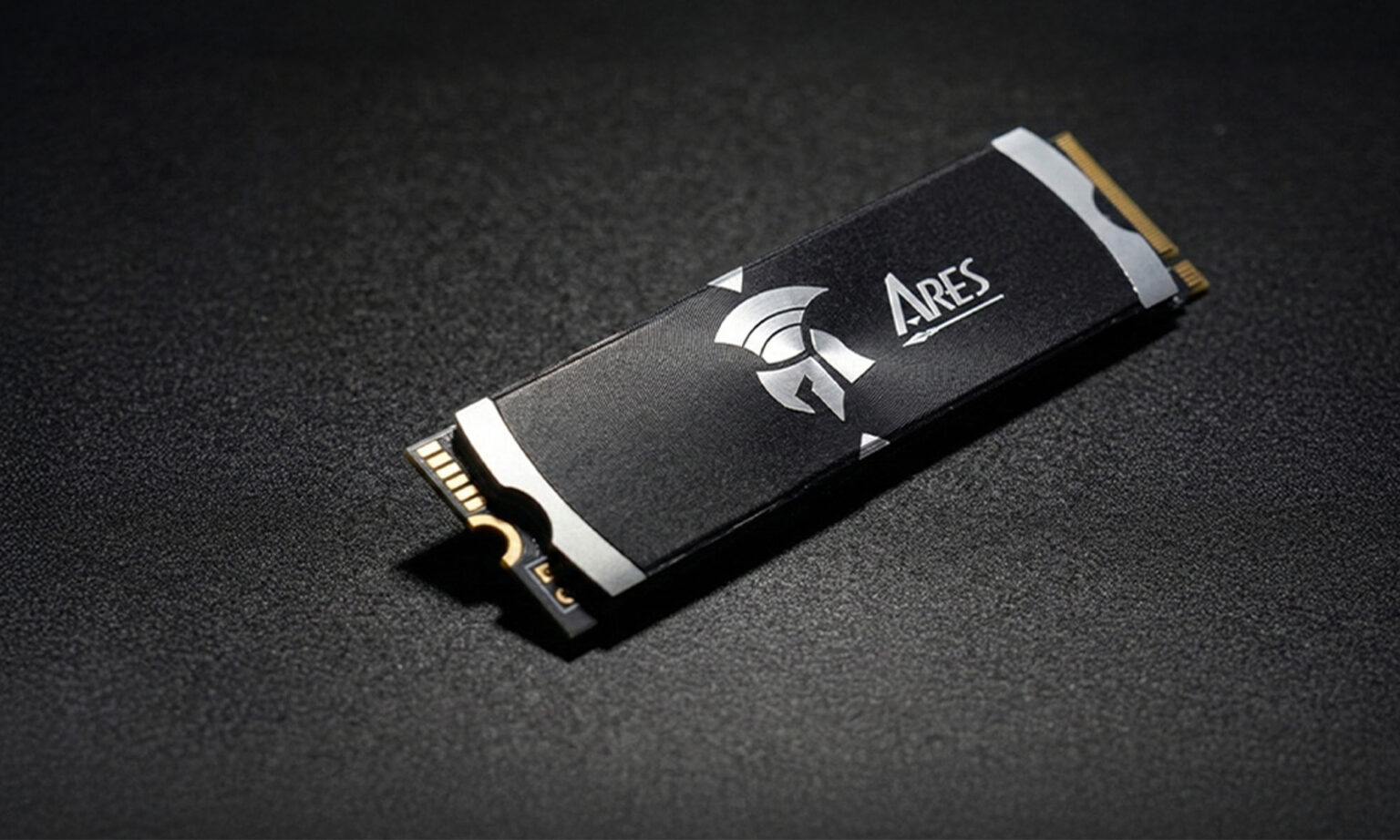
For handhelds that accept the full-length size, such as the ROG Ally X, the ROG Xbox Ally series and the MSI Claw 8 EX AI+, this is the high-capacity option. It is a PCIe 4.0 NVMe drive with speeds listed up to 7200/6850 MB/s, comes with a heatsink and is offered in 1TB, 2TB and 4TB. The 4TB option is the one to look at if you want a single drive for a very large library, and it is a size that 2230 drives currently cannot match.
DATO DP342(M.2 2242)
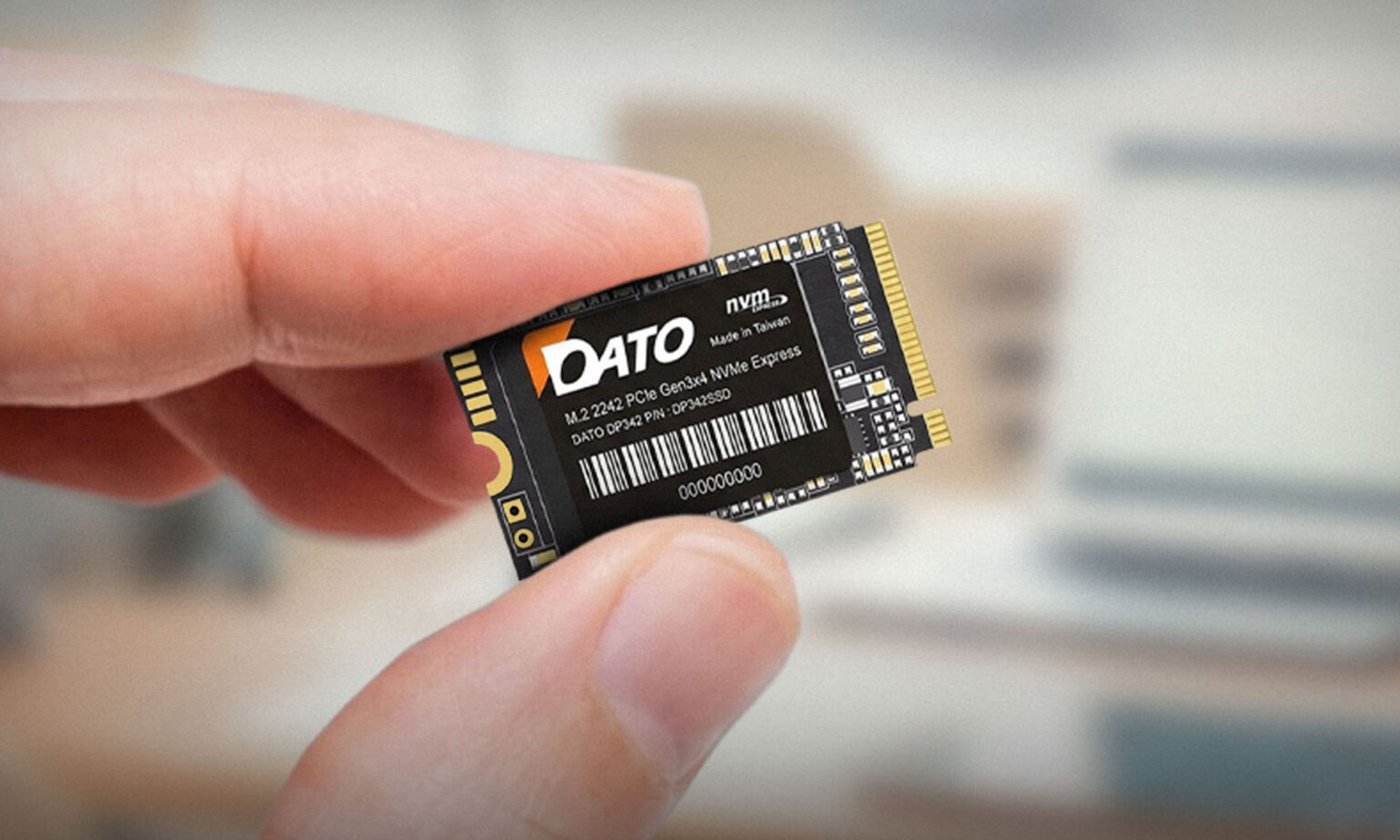
Built for the Legion Go series, the DP342 is a PCIe Gen3x4 NVMe 1.3 drive with speeds listed up to 2500/1700 MB/s in 512GB and 1TB. It is a bare drive without a listed heatsink, which suits Legion Go owners who want a straightforward, lower-power upgrade in the 2242 size. The listing also mentions a limited 5-year warranty.
Does a handheld SSD need a heatsink? The honest answer is: it depends on the drive, the device and how you play. Let us walk through it so you can decide for yourself.
Why SSDs get hot
NVMe drives generate heat mostly in the controller chip and NAND during sustained writes, such as installing a large game or copying big files. If the temperature climbs too high, some drives slow down to protect themselves, a behavior called thermal throttling. Faster drives such as PCIe Gen4 models can run hotter than slower Gen3 drives, because they move more data in less time.
Why handhelds are a special case
Handhelds have limited airflow and very little room. Heat from the processor, the battery and the SSD all share a small space. That makes it worth thinking about drive temperature, especially for long gaming sessions and big installs. On the other hand, many games mostly read data from the SSD, which is far less demanding than writing, so everyday gaming alone does not always push the drive to its limits. Installing games, copying files and benchmarking are the heavy moments.
How our drives approach it
So, do you need one? A simple decision guide
Storage fills up faster than most people expect, so picking the best SSD for your handheld gaming PC means choosing between a 1TB, 2TB or 4TB NVMe M.2 SSD. The right answer depends less on the device and more on how you play. Some modern AAA games take well over 100GB each, and a handheld also needs room for Windows or SteamOS, updates, shader caches, screenshots and recordings.
Player type | Suggested | Why |
The casual / indie player | 512GB-1TB | Indie titles are small, so even a modest drive holds a big library. |
The balanced gamer | 1TB-2TB | Room for several big titles plus a rotating set of smaller games. |
The AAA collector | 2TB | Several 100GB+ games installed at once without constant uninstalling. |
The “one device for everything” player | 2TB-4TB | Games, emulators, media and work files on one Windows handheld (2280 models only for 4TB). |
1TB: the practical starting point
1TB is a comfortable step up for many players, especially if your library mixes indie games with a few big titles. It also tends to be the best balance of price and capacity across all three sizes. If you are unsure, 1TB is rarely a mistake.
2TB: the sweet spot
2TB lets you keep several AAA games installed at once without constantly deleting things. For most players with a Steam Deck or ROG Ally, 2TB is also the practical ceiling in the 2230 size, so it is the biggest upgrade available in those handhelds.
4TB: only for 2280 handhelds
4TB is currently a 2280 story. If you own an Ally X or an Xbox Ally, a 4TB drive can hold an enormous library, emulators and your media in one place. If you own a 2230 or 2242 handheld, plan around 2TB instead, and check current listings since the market changes quickly.
*Tip
Before upgrading, check how your library is distributed. A microSD card can hold games you rarely play, so you may not need to pay for the largest internal drive.
We have seen plenty of upgrade stories that began with excitement and ended with a return label. Here are the five mistakes that come up again and again, told the way they usually happen, so you can skip the part where you stare at a drive that will not fit.
Mistake 1: “They all look the same”
It starts with a perfectly reasonable thought: an M.2 SSD is an M.2 SSD, right? Then the package arrives, you open your handheld, and the drive is the wrong length by a few centimeters. 2230, 2242 and 2280 share the same connector, which is exactly why the mistake is so easy to make.
How to avoid it: use the size chart in this guide before you add anything to your cart, and write the size down in your shopping notes.
Mistake 2: Paying for speed the slot cannot use
Gen4 drives sound impressive, and the box proudly lists 5000 MB/s or more. But the Steam Deck’s slot runs at PCIe Gen3 speeds, so you will not see the full Gen4 numbers there. Paying a premium for speed your device cannot use is like buying a sports car for a street with a 30 km/h limit.
How to avoid it: check your handheld’s interface speed first, and spend the savings on capacity instead, since in a handheld an extra terabyte is something you will feel every day.
Mistake 3: The heatsink that will not let the cover close
Heatsinks look great in product photos, and in a desktop they are a no-brainer. In a handheld, the metal shield sits just above the drive with barely any gap. A heatsink that is a millimeter too tall can prevent the cover from closing or press against other parts.
How to avoid it: treat heatsink height as a spec, not an afterthought. Compare it with your device’s available clearance, and when in doubt, read owner reports for your exact model.
Mistake 4: Assuming new models are twins of old ones
The ROG Ally and the ROG Ally X sound like siblings and look alike, yet they use different SSD sizes. The Legion Go 2 is not simply a Legion Go with a new number, and some early units have been reported to ship with a 2230 drive and a bracket. Brands also release variants such as different MSI Claw models.
How to avoid it: always confirm the exact model and revision, not just the brand family, and check the manufacturer’s specification page rather than relying on memory.
Mistake 5: Swapping first, backing up never
Upgrading the SSD usually means installing your operating system and games again, at least on the new drive. If you do not back up your saves and settings first, or you do not have installation media ready, a fifteen-minute upgrade can turn into a very long evening.
How to avoid it: back up saves, game settings and any important files before opening the device. Prepare the recovery or installation media in advance, and follow the manufacturer’s own upgrade guide for your handheld. A little preparation saves a lot of stress.
Q : What size SSD does the Steam Deck use?
A : M.2 2230 NVMe. Longer 2280 drives will not fit.
Q : Can I use a 2280 SSD in the ROG Ally?
A : No. The original ROG Ally uses 2230.
Q : What SSD does the ROG Ally X use?
A : M.2 2280 NVMe, the standard full-length size, so you have far more models and capacities to choose from.
Q : What is the best SSD for Legion Go?
A : M.2 2242 NVMe, the standard full-length size, so you have far more models and capacities to choose from.
Q : Does the MSI Claw 8 EX AI+ use the same SSD as the Steam Deck?
A : No. The MSI Claw 8 EX AI+ uses a full-size M.2 2280 slot (PCIe Gen4 x4), while the Steam Deck uses the short M.2 2230. The earlier MSI Claw 8 AI+ used 2230, so always confirm which Claw model you own.


DATOTEK INTERNATIONAL CO., LTD.
3F, No. 34, Alley 18, Lane 478, Ruiguang Rd., Taipei City 11492, Taiwan
TEL: +886-2-2658-1268
Email: datotek@datos.com.tw